
Disclosure: This page contains affiliate links. If you buy through them, we may earn a commission at no extra cost to you — it helps us keep publishing free, in-depth reviews.
Elgato Key Light Review: The Studio Light AI Video Creators Swear By
Talking-head video lives or dies on lighting: good light makes a phone look professional, bad light makes a cinema camera look like a hostage video. The Elgato Key Light is the default desk light for streamers and YouTubers. This guide breaks down whether it deserves that — and when a smaller or cheaper panel makes more sense.
Related reading: Elgato Key Light Air Review: The Compact Light AI Video Creators Actually Need?, Logitech Brio 4K Webcam Review: The Best Camera for AI Video Creators?.
Quick Answer
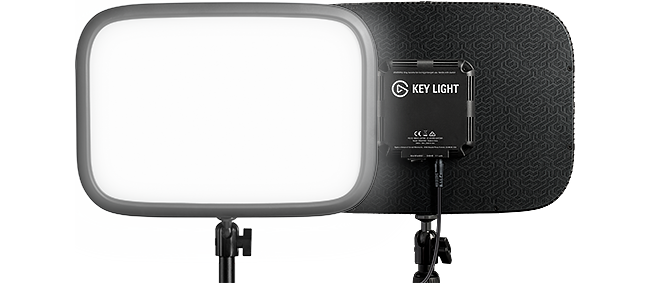
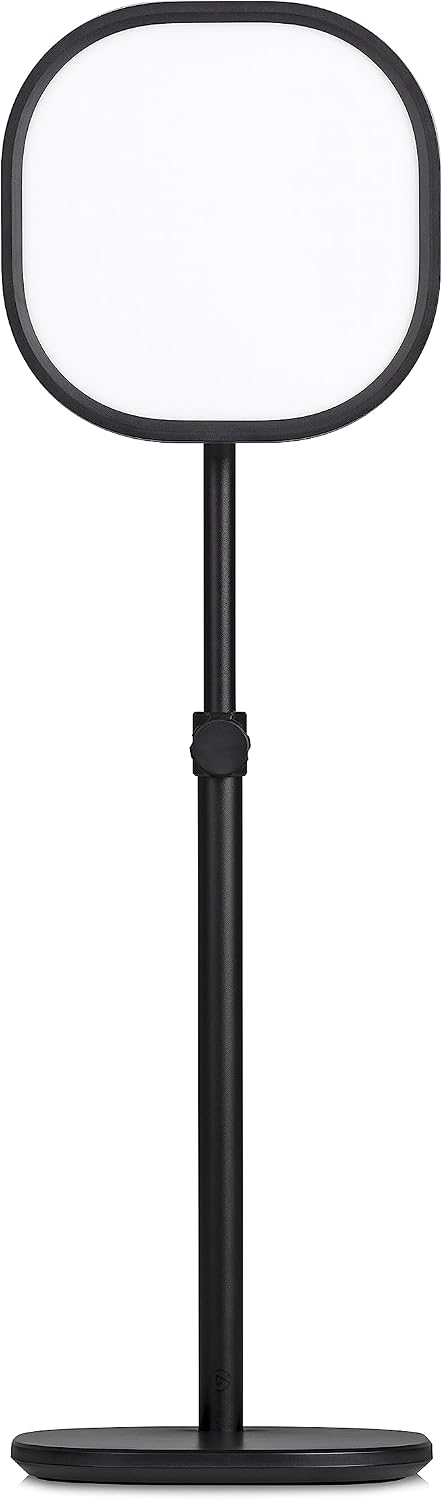
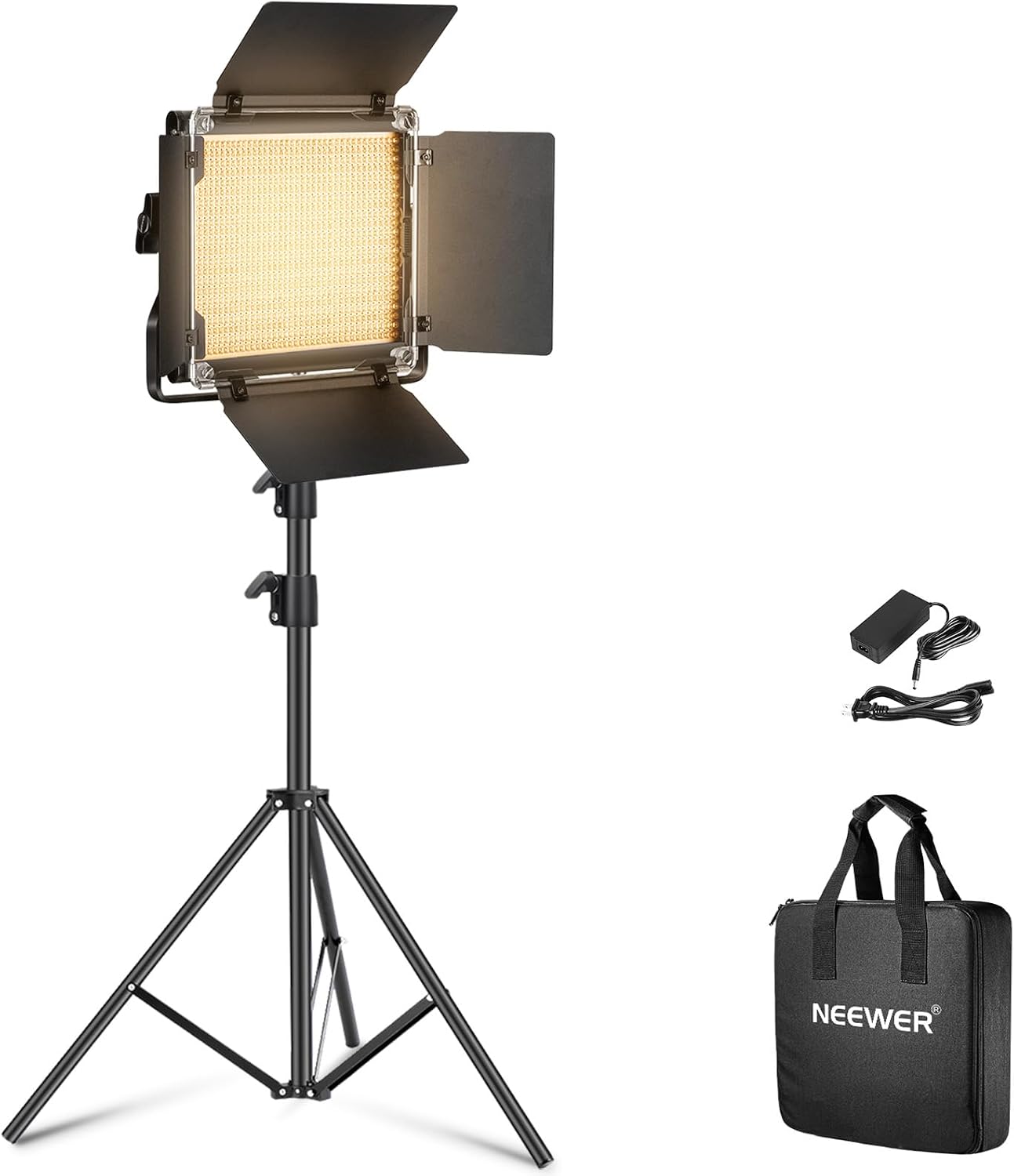
The Elgato Key Light is a premium edge-lit LED panel throwing soft, flattering light with app-based brightness and color control — ideal desk-mounted for streaming and talking-head video. Pricey and overkill for casual calls. The Key Light Air gives the same formula smaller and cheaper; the Neewer NL660 gives a stand-mounted bi-color panel for less.
Compare Top Studio Lights
Three proven picks side by side — choose the one that fits your needs.
Prices and availability may vary — tap any product to check the current listing.
What to Look For in a Studio Light
Bad lighting doesn’t just look bad — it makes viewers click away before you’ve said anything. The good news: one well-chosen panel, placed right, beats three cheap lights placed wrong. Here’s what matters.
Softness of the light
Hard light carves harsh shadows under your eyes. Soft light wraps around your face and flatters. The trick is diffusion: a large glowing surface looks soft; a tiny bright point looks hard. The Key Light’s whole design is one big diffused panel — edge-lit LEDs behind a frosted face — so its light stays gentle even at high brightness. That’s the main thing you’re paying for. Size of the source matters more than wattage.
Brightness range, not just maximum
Everyone shops for the brightest light. Almost nobody needs maximum brightness. What you need is range — a gentle fill for evening calls, enough punch to beat window daylight. The Key Light dims smoothly across that whole span. Cheaper panels often jump in coarse steps, leaving you choosing between too dim and blinding. Smooth dimming is a feature you don’t appreciate until you’ve lived without it.
Adjustable color temperature
Light has a color, from warm candlelight to cool daylight — and when your panel clashes with your room lighting, your skin looks wrong in a way viewers feel but can’t name. Bi-color panels (Key Light, Air, NL660 all qualify) dial from cozy warm to crisp daylight to match the room. Single-temperature cheap panels can’t, which is why they’re cheap. Record at different times of day? This earns its keep fast.
Mounting and placement
A great light in the wrong place is a bad light. The Key Light clamps to your desk edge and rises on a pole — panel above and slightly in front of your face, the classic flattering angle, zero floor space. The Air swaps the clamp for a weighted base; the NL660 comes with a full stand, more flexible around a room but bulkier. Think about where the light will actually live.
Control: app, physical, or both
You’ll adjust brightness constantly — morning versus evening, cloudy versus sunny. Elgato does it through an app: tweak from your phone without leaving your chair. The trade-off is setup friction — WiFi pairing, the occasional “why won’t it connect” afternoon. The NL660 uses physical knobs: zero setup, but you walk over to it every time. App people love the Elgato way. Knob people will never understand WiFi lamps.
Build quality and heat
LED panels run for hours, and cheap ones get hot, flicker, or buzz. The Key Light’s metal build and thermal design are part of its premium price — it’s made to run all day, every day, the way streamers use it. The NL660 is solid for its tier but less proven for 8-hour daily marathons. Match the build to your usage hours, honestly assessed.
How to Match a Studio Light to Your Situation
Three creators, three setups, three answers.
The streamer / daily video-call pro
You’re on camera for hours at the same desk. You want a light you set once and forget — mounted out of the way, controlled from your phone, reliable all day. The Key Light’s home turf: the clamp keeps it off your work surface, app control means never leaving your chair, and the build is made for marathons. One panel as key light is usually enough.
The YouTuber / AI video creator
You batch-record talking heads, maybe in different spots. Flexibility beats permanence: a light you can move and pack away. The Air’s small size suits this; the NL660’s stand kit is even better away from a desk. You care about softness and color for close-ups. The choice is budget and whether you want app control.
The casual upgrader
You just want to stop looking like a silhouette on calls. You don’t need app control or WiFi — you need soft, adjustable light in five minutes. The Key Light is overkill here, and that’s fine to admit. The Air or NL660 gets you 90% of the visible improvement for far less. Spend the savings on a mic instead.
Studio Light Types Compared
| Type / Tier | Best For | Price Tier | Key Feature | Watch-Out |
|---|---|---|---|---|
| Premium edge-lit panel (e.g. Elgato Key Light) | Daily streamers | Premium | Large diffused panel, app control | Pricey; overkill for casual calls |
| Compact panel (e.g. Key Light Air) | Small desks, batch recording | Mid-range | Same formula, smaller | Less maximum output |
| Budget bi-color panel kit (e.g. Neewer NL660) | Budget creators | Budget-friendly | Bi-color, stand included | No app control |
| Ring light (generic) | Beauty close-ups | Budget-friendly | Catchlights, cheap | Harsh for general use |
The premium panel is the buy-it-once choice for people who live on camera — worth it only with daily use.
The compact panel keeps the formula smaller and cheaper; the sacrifice is maximum brightness you won’t miss.
The budget kit is the value play — bi-color and a stand included, trading app convenience for knobs.
The ring light is a specialist misused as a general key light — fine for beauty close-ups, mediocre otherwise.
Real Lighting Scenarios
Scenario 1: Streaming 6 hours a day from the same desk
Consistency is everything. The Key Light clamps to the desk edge, rises above your monitor, and stays put — same angle, same softness, every session. App control handles evening adjustments without standing up. This is where the premium price makes sense: the light becomes furniture, not equipment.
Scenario 2: Batch-recording talking heads in a spare room
You shoot four videos on Saturday away from your daily desk. Portability wins: the Air moves easily, the NL660’s stand goes wherever you point it. Match color temperature to the room, frame up, record — then pack it all away. A clamped premium panel would fight you here.
Scenario 3: Just trying not to look terrible on video calls
Backlit by a window, face in shadow. You need one soft source in front of you, slightly above eye level, matched to the room. Any of these panels fixes it in an afternoon. Don’t overthink it — the jump from “no light” to “any decent panel” is enormous; from decent to premium is subtle.
Common Mistakes Buyers Make
Mistake 1: Putting the light behind you. The classic — a bright window behind you turns your face into a silhouette. Key light goes in front, slightly above eye level. Always.
Mistake 2: Running at maximum brightness. Full blast washes out your face and kills the softness you paid for. Start at half, adjust to taste.
Also see: AI for Creators: Writing, Art & Video Tool Reviews (AI for Everyone Series, Book.
Mistake 3: Ignoring color temperature. A cool panel in a warm room makes you look ill. Spend 30 seconds dialing until skin looks natural — that’s what bi-color is for.
Mistake 4: Buying two lights before trying one. One key light plus room ambient is enough for most setups. Master one panel first; add fill later if needed.
Why, How, and What: Quick Answers
Why is the Key Light a panel instead of a ring light?
A large diffused surface gives soft, flattering light; a ring is a small bright circle that throws harsher shadows at talking-head distance. Rings excel at one thing: the round catchlight in eyes for beauty close-ups. For streaming and video, the panel’s softness wins. Different tools, different jobs.
How should you position a key light?
In front of you, slightly above eye level, angled down — close enough to be the brightest thing on your face. That sentence fixes 80% of bad webcam lighting. Too low: horror-movie uplighting. Too far sideways: half your face goes dark. Front, slightly high, close. Done.
What does color temperature actually change on camera?
How natural your skin looks. Match the panel to the room — warm room, dial warm; daylight, dial cool. Mismatched temperatures make skin look grey or orange, which screams amateur. Easiest fix in lighting: one dial, thirty seconds.
Questions People Ask Before Buying
Is the Elgato Key Light still worth it in 2026?
Yes, if you’re on camera daily and want a set-and-forget desk light — the large diffused panel, smooth app control, and sturdy clamp mount remain genuinely pleasant to live with, and no budget panel matches that overall refinement and build quality. Overkill for occasional calls, though — the Air or a budget panel gets you nearly the same visible result.
Elgato Key Light vs. Key Light Air: which should I buy?
Buy the full Key Light if you stream or record daily at a fixed desk — its larger panel throws softer light and the clamp mount keeps your desk clear, advantages that genuinely compound over hundreds of hours of use. The Air suits small desks and batch recording — same app, same color range, less maximum output you’ll rarely miss.
Elgato Key Light vs. Neewer NL660: which is better for YouTube videos?
For talking-head YouTube videos, both lights work well — the real question is desk versus room, because the Key Light wins for fixed desk setups with its clamp mount and app control while the NL660 wins for movable room setups with its included stand and much lower price. The Key Light wins for fixed desk setups with its clamp mount and app control; the NL660 wins for movable room setups with its included stand and much lower price. Both look soft and flattering once dialed in; without app-control needs, the NL660 is the value pick.
Do I need a studio light for video calls and AI avatar videos?
You don’t strictly need one, but a studio light is the single biggest visual upgrade you can make — bigger than a new webcam — because good lighting makes any camera look professional while bad lighting makes even expensive cameras look cheap and unflattering. Good lighting makes any camera look professional and any face look natural, while bad lighting makes expensive cameras look cheap. For AI avatar videos the avatar is rendered, so lighting matters less — but real talking-head footage transforms with one soft panel.
Is one Key Light enough, or do I need two?
One is enough for most talking-head setups — a single key light in front of you plus your room’s ambient light handles the job well, and most creators never outgrow this simple arrangement no matter how long they record each week. A second light helps dark rooms; start with one and add later only if shadows bother you.
FAQ
Does the Key Light work without the Elgato app?
Mostly no — the app is how you adjust brightness and temperature. It’ll run at its last settings without the app, but that’s giving up the main control method. Want app-free? A knob panel like the NL660 is simpler.
Can I mount the Key Light on something other than a desk?
Out of the box it’s a desk creature: clamp on a pole, needing a table edge. The head uses a standard ball mount, so adapters exist — but for floor-standing needs, the NL660’s stand kit fits better.
Will the Key Light make my room hot?
Far less than old tungsten lights — LEDs run cool and the thermal design handles long sessions. Slight warmth right around the panel at full brightness, nothing more. No sauna.
Does the Key Light flicker on camera?
No — it’s flicker-free across its dimming range, which separates purpose-built video lights from household LEDs. If you ever see flicker, it’s usually a shutter-speed mismatch with room lighting, not the panel.
Key Light vs. a ring light: which is better for talking-head video?
The panel, for most talking-head work — softer and more flattering at normal distance. Rings win for beauty close-ups with that round catchlight. Makeup content: ring. Streaming and YouTube: panel.
Can I use the Key Light for photography?
For desk-area stills — headshots, product-in-hand — it works as a continuous light. It won’t replace strobes for serious photography, but as a stream-plus-photos double-duty light, it does fine.
Final Recommendation
The Key Light earns its price through daily use, not specs. Live on camera and the clamp, the app, the softness all fade into the background — session after session. That’s what you’re buying: the absence of friction.
But not everyone needs friction-free. Batch recorders: look at the Air. Budget creators who don’t mind knobs: look at the NL660. Match the light to your camera hours.
Decision Tree: Which Studio Light Should You Buy?
On camera daily at a fixed desk → Elgato Key Light — clamp, app control, marathon build.
Small desk or batch recording → Key Light Air — same formula, smaller.
Movable room setups on a budget → Neewer NL660 — stand included, knob control.
Just fixing video calls → Air or NL660 — premium is overkill here.
Key Takeaways
✅ One soft panel beats any camera upgrade for talking-head video.
✅ Key Light’s edge: big diffused panel, app control, clamp — worth it for daily camera hours.
✅ Air for small desks; NL660 for budget, movable setups.
✅ Match color temperature to the room; start at half brightness; one light is enough.
Disclosure: This page contains affiliate links. If you buy through them, we may earn a commission at no extra cost to you — it helps us keep publishing free, in-depth reviews.