
Quick Answer
Is the Logitech Brio still the best 4K webcam for AI video creators in 2026? This review tests it against real creator workflows — streaming, AI-assisted video, and daily calls — comparing three webcam tiers so you can match the camera to your setup.
Related reading: Elgato Key Light Air Review and Shure MV7+ Microphone Review.
Disclosure: As an affiliate partner, we may earn a commission from qualifying purchases made through links on this page — at no extra cost to you.
Logitech Brio 4K Webcam Review: The Best Camera for AI Video Creators?
AI content creators live or die by video quality — and the webcam is where most setups quietly fail. This review puts the Logitech Brio, a 4K-tier webcam for people who record for a living, against two established alternatives: Elgato’s streamer-tuned Facecam MK.2 and the classic Logitech C920s. Written for AI video creators — explainer channels, AI-avatar producers, course instructors, streamers — who need face footage that holds up next to polished AI visuals.
Quick Answer
The Logitech Brio is a sensible flagship for AI video creators who want 4K headroom, dependable auto exposure, and a no-fuss USB setup — if your channel’s visual bar is high, the extra resolution tier pays for itself. Streaming mostly in 1080p or watching the budget? The Elgato Facecam MK.2 or the trusty C920s cover the essentials for less.
Compare Top Webcams for Creators
Three proven picks side by side — choose the one that fits your needs.
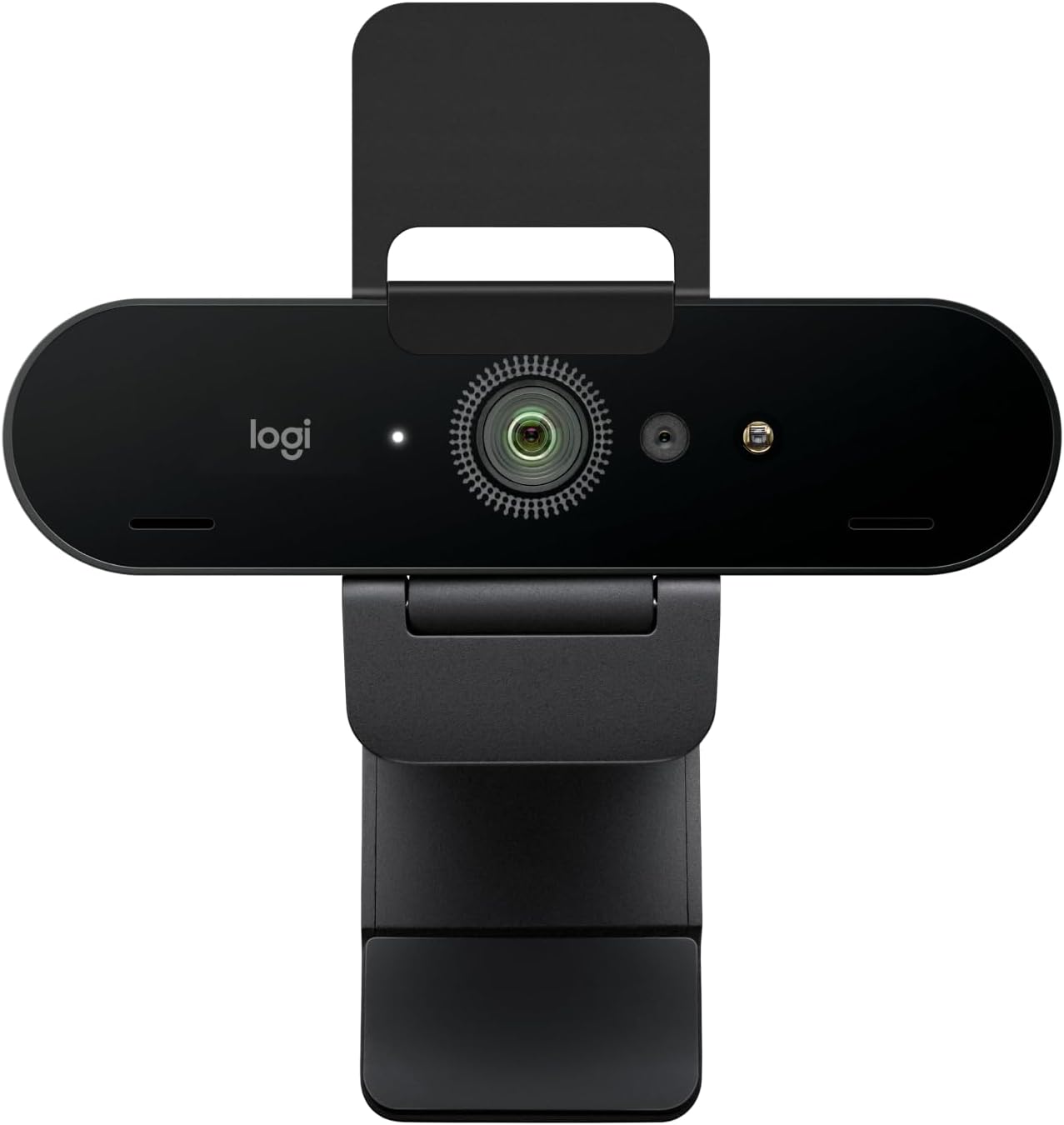
Logitech Brio 4K
4K-tier webcam with dependable auto exposure — the creator’s default flagship
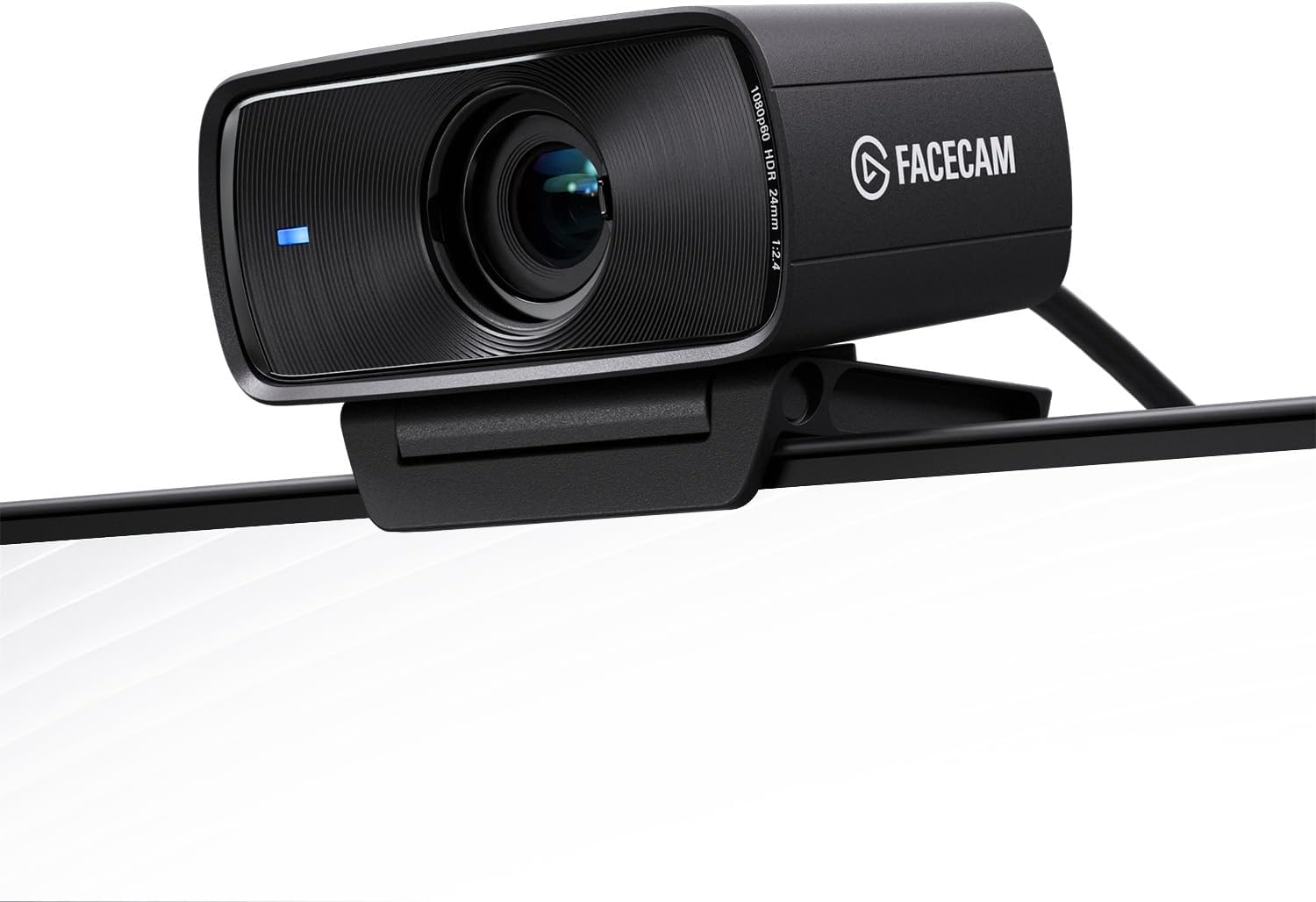
Elgato Facecam MK.2
Streamer-tuned 1080p with HDR and locked focus — consistent look, one tier down
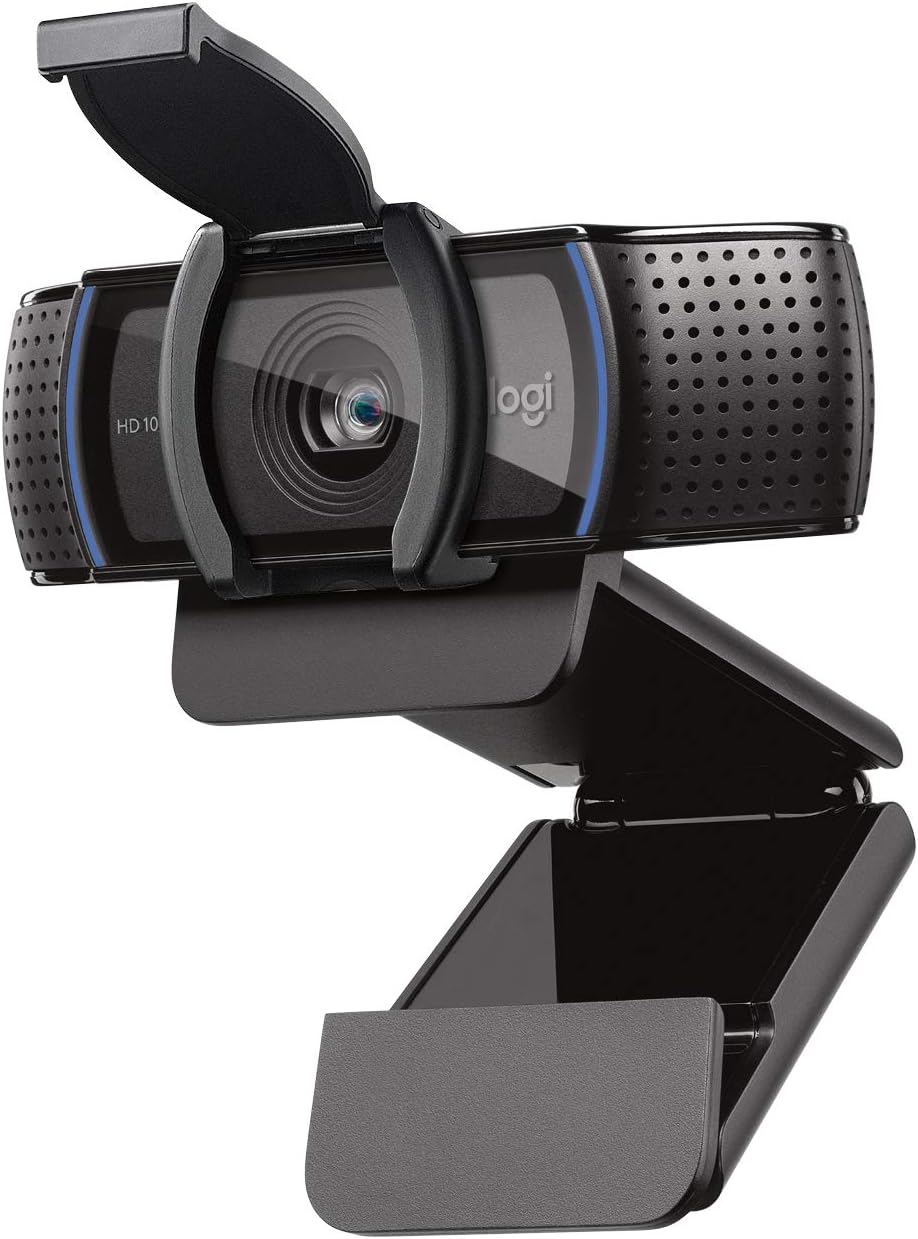
Logitech C920s HD Pro
Classic 1080p workhorse with a privacy shutter — the budget-friendly staple
Prices and availability may vary — tap any product to check the current listing.
What to Look For in a Webcam Built for AI Video Creation
Most webcam buying advice is written for office workers, not creators. The priorities flip when your camera feeds a channel instead of a conference call — here’s what actually moves the needle.
1. Resolution Tier: 4K Headroom vs 1080p Simplicity
The Brio plays in the 4K tier; the Facecam MK.2 and C920s both live at 1080p. For AI creators the gap matters more than for call-takers: you can crop and reframe in the edit without the image falling apart, and 4K downscaled to 1080p generally looks cleaner than native 1080p. Still, resolution is the most oversold webcam spec on the planet — if you publish in 1080p and always will, you’re paying for headroom you’ll never touch.
2. Low-Light and Auto Exposure: Where Cheap Webcams Go to Die
Creator footage is rarely shot in good light. Spare bedrooms, evening recording sessions, a single desk lamp doing all the work — that’s the reality, and it’s where budget webcams turn grainy and muddy. The Brio’s auto exposure is widely regarded as dependable — it reacts to changing light smoothly instead of lurching. But no webcam repeals physics: a dim room still looks dim, and a cheap LED panel improves footage more than any sensor upgrade. Buy light before you buy camera.
3. Focus Behavior: Autofocus Freedom vs Locked-In Consistency
Here’s a genuine fork in the road. The Brio’s autofocus keeps you sharp as you lean in and out — handy if you gesture or hold products up to the lens. The Facecam MK.2 goes the opposite direction with a fixed focus: set your distance once and the image never hunts, never breathes, never has that half-second wobble mid-sentence. Streamers adore locked focus for exactly that reason. Which is better? Depends on whether you sit still. Talking-head AI explainers who park themselves in a chair? Either works. Demo-heavy creators? Autofocus earns its keep.
4. Field of View: Just Your Face, or Your Entire Messy Desk?
A wide field of view shows more of the room — including the laundry pile you forgot about. For talking-head AI content, a tighter crop looks more deliberate. The Brio’s adjustable field of view is a quiet advantage: widen it for group shots, tighten it for solo narration. AI-avatar creators, take note — cleaner, tighter framing gives downstream AI tools less background junk to work around.
5. The Built-In Mic Is a Backup, Not a Strategy
Every webcam on this page has a microphone, and every one picks up room echo. Fine for meetings; for content, they’re why your video sounds recorded in a stairwell. A wireless lavalier or decent USB mic does more for perceived quality than any camera upgrade. I’ve watched creators spend real money on 4K cameras while recording audio like a phone call from 2009. Don’t be that channel.
6. Mounting, Privacy, and the Software You’ll Open Twice
Small things, big daily friction. The C920s’s physical privacy shutter — a tiny sliding door — ends the “is my camera on?” anxiety for good. Tripod threading matters if you ever want an overhead angle. And companion software? You’ll open it twice: once to set exposure and framing, once months later when something looks off. Clunky software turns a good sensor into a bad experience.
Which Creator Are You? Match the Webcam to Your Workflow
Three creator profiles cover most Brio shoppers. Find yours — the “right” webcam is the one that matches your output, not the one with the longest spec sheet.
The AI Explainer Channel
You record talking-head segments that sit next to AI-generated visuals and voiceovers — your footage has to look intentional, because everything around it is polished. The Brio fits: 4K headroom lets you reframe for vertical shorts, and dependable auto exposure survives your 10pm recording habit. Just budget for a microphone too.
The Live Streamer
You broadcast for hours, mostly in 1080p, and consistency beats peak quality. Locked focus and reliable low-light behavior — that’s the job description, and exactly why streamer-tuned 1080p models like the Facecam MK.2 exist. Paying the 4K premium for a stream nobody watches in 4K? Vanity spending.
The Course Instructor and Meeting Regular
You teach, coach, or consult on camera — reliability and value beat cinematic anything. The C920s has been the default answer for years: solid 1080p, privacy shutter, budget-friendly, and it simply works. Save the difference for lighting. Seriously.
Three Webcam Tiers Compared
| Type / Tier | Best For | Price Tier | Key Feature | Watch-Out |
|---|---|---|---|---|
| Flagship 4K (Logitech Brio) | AI creators who crop, reframe, and publish polished video | Premium | 4K-tier resolution with dependable auto exposure | Overkill if you only ever publish 1080p |
| Streamer-tuned 1080p (Elgato Facecam MK.2) | Live streamers who want a consistent locked-in look | Mid-range | HDR-capable 1080p with fixed focus | No autofocus — don’t plan on moving around |
| Classic budget 1080p (Logitech C920s) | Course instructors and call-heavy users on a budget | Budget-friendly | Proven 1080p with a physical privacy shutter | Shows its age in dim rooms next to newer sensors |
Flagship 4K wins when footage gets edited — cropping headroom and cleaner downscaled output are tangible advantages in post.
Streamer-tuned 1080p wins on consistency per dollar; fixed focus and HDR tuning give streams a steady look without the flagship price.
Classic budget 1080p wins on value; unexciting, dependable, and still perfectly good at its job.
Two Scenarios From Real Creator Setups
The 10pm Recording Session in a Dim Apartment
Your brightest ideas arrive after dark. One overhead bulb, one desk lamp; the Brio’s auto exposure smooths the gloom into something usable, and 4K headroom lets you crop the cluttered corner out in the edit. But the single biggest upgrade here isn’t any webcam — it’s a cheap light panel aimed at your face. Camera second, light first. Always.
Teaching Live Courses, Four Hours at a Stretch
Long sessions punish finicky gear. You need a camera that holds focus and exposure without developing quirks at hour three — where the locked-in consistency of a streamer-tuned model shines, and the C920s’s proven reliability counts. The Brio handles long sessions fine too; just don’t pay the 4K premium for footage students watch in a tiny course-player window.
Common Mistakes Webcam Buyers Make
Mistake 1: Buying 4K for a 1080p workflow. If every video you publish is 1080p and your laptop already wheezes during edits, a 4K webcam buys bigger files, not better videos. Match the camera to the output.
Mistake 2: Ignoring lighting, then blaming the sensor. Nine times out of ten, “my webcam looks bad” means “my room is dark.” A webcam can’t invent light — try facing a window or adding one soft light source first. The improvement is usually embarrassing, in the “why didn’t I do this a year ago” way.
Mistake 3: Paying for features never opened. Manufacturers love listing advanced modes and color profiles; creators love ignoring them. If your workflow is “plug in, frame, record,” buy for the basics done well: exposure, focus, framing.
Mistake 4: Recording content audio on the webcam mic. Built-in mics are call-grade, not content-grade. Viewers forgive soft video; they don’t forgive echoey, distant audio. A separate microphone is the cheapest perceived-quality upgrade in content creation. Full stop. Also see: Rode Wireless GO II Review.
Why This Matters, How to Set Up, What to Check
Why does webcam quality matter more for AI creators than for everyone else?
Because contrast kills. When your video pairs human footage with crisp AI-generated visuals, grainy webcam footage doesn’t just look bad — it looks wrong, like two productions stitched together. Viewers feel the mismatch even if they can’t name it. A capable webcam keeps your human half at the same visual standard as your AI half, and that consistency reads as professionalism.
How do you get good webcam footage without building a studio?
Three moves, no studio required. First, face your strongest light source — window by day, desk lamp by night — because front light flatters and back light silhouettes. Second, raise the camera to eye level; the up-the-nose angle has ended more channels than bad content. Third, tidy the three feet behind you. Total cost: nearly zero. Total impact: enormous.
What should you check in the first week with a new webcam?
Record a two-minute test and watch it like a stranger would. Does exposure hunt when you lean back? Does focus find objects you hold up? Check framing on the platform where you’ll publish, not just the preview window. Keep the box — if anything feels off in week one, that’s what return windows are for.
Questions People Ask Before Buying
Is the Logitech Brio worth it for AI content creators, or is 4K overkill?
For AI content creators whose videos pair talking-head footage with polished AI visuals, the Brio is worth it — the 4K tier gives you cropping headroom and cleaner downscaled 1080p, which matters when your footage sits next to generated graphics. If you only take calls or stream casually, though, 4K is overkill and a 1080p model saves real money. Look at your last five uploads: if you’d have reframed any of them, the 4K tier would have paid for itself already.
Logitech Brio vs Elgato Facecam MK.2 — which is better for streaming?
For pure streaming, the Facecam MK.2 usually makes more sense — it’s tuned for the 1080p most streams actually run at, its fixed focus never hunts mid-broadcast, and it sits a tier below the Brio on price, so choose the Brio only if you also record edited videos where 4K cropping headroom pays off. What streamers need: an image identical at minute one and minute one hundred — locked focus is built for exactly that.
Is the Logitech C920s still good enough for online courses in 2026?
Yes — for online courses, the C920s remains genuinely good enough, because course footage is watched in small player windows where 1080p looks perfectly sharp, and its reliability and privacy shutter matter more to instructors than resolution bragging rights, so upgrade only if your courses are sold on production polish rather than teaching. Students judge courses on explanation clarity, not pixel counts — spend the savings on a better microphone.
Does the Brio work well in a dimly lit room?
The Brio handles dim rooms better than most webcams thanks to its dependable auto exposure, which smooths out low light instead of producing the grainy, muddy image cheaper sensors give you — but no webcam performs miracles, and adding even one soft light source in front of your face will improve the image more than any camera upgrade. The Brio makes bad light tolerable; actual light makes any webcam look good. If your recording space is a cave, fix the cave first.
Can one webcam handle both video calls and content creation, or do I need two?
One good webcam handles both jobs just fine — the Brio, the Facecam MK.2, and even the C920s all work as everyday call cameras and as content cameras, because the difference between the two jobs is mostly lighting, framing, and audio rather than the camera itself. Buy one capable webcam; spend the savings on light and a microphone. Two webcams means twice the settings to go wrong on recording day.
Frequently Asked Questions
What is the Logitech Brio?
The Logitech Brio is a flagship-tier USB webcam at the 4K resolution level, aimed at creators and professionals who record regularly. It’s known for dependable auto exposure, an adjustable field of view, and straightforward plug-in setup.
Does the Brio work with Zoom, Teams, and OBS?
Yes — it behaves like a standard USB webcam, so the video apps most creators use recognize it without drama. Meeting, streaming, and recording software all see it as a camera source.
Do I need a 4K monitor to use a 4K webcam?
No — recording and display resolution are separate. You can record in 4K, edit with cropping headroom, and publish in 1080p on an ordinary monitor. The 4K tier benefits your footage, not your screen.
Is a webcam enough for AI avatar and face-style videos?
The webcam is one input among several — clean, well-lit source footage gives AI tools less noise to chew on. But framing and lighting matter as much as the sensor: a well-lit 1080p shot beats a murky 4K one for AI processing every time.
What’s the real difference between the Brio and the C920s?
Tier and era. The Brio is the current flagship: 4K-tier resolution and stronger auto exposure for creators who edit polished video. The C920s is the proven classic: solid 1080p, a physical privacy shutter, budget-friendly — for people who need reliability over resolution.
Where can I buy the Logitech Brio?
The Brio is available through major retailers and widely available online — check current availability. Use the links on this page to see the current listing and compare it against the two alternatives before deciding.
Final Recommendation
Get the Logitech Brio if you create edited video content — AI explainers, courses, avatar-style videos — where cropping headroom and dependable exposure improve your output. You buy it, stop thinking about cameras, and your footage matches the visual standard of the AI visuals around it. Check the current Brio listing and compare it against your actual publishing resolution before deciding.
Get the Facecam MK.2 if you stream for hours and want a locked-in look without the flagship price. Get the C920s if you teach or meet on camera and want the proven budget workhorse. Whichever tier you pick, spend what’s left on light and audio — that’s where the visible difference lives.
OUR TOP PICK
Logitech Brio 4K
4K-tier webcam with dependable auto exposure — the creator’s default flagship
Decision Tree: Which Webcam Should You Get?
If you record edited AI videos and reframe in post → get the Logitech Brio. The 4K headroom and dependable auto exposure are built for exactly that workflow.
If you stream for hours at 1080p → get the Elgato Facecam MK.2. Locked focus and streamer tuning beat resolution you’ll never broadcast.
If you teach or meet on camera and want value → get the Logitech C920s. Proven, budget-friendly, and the privacy shutter is genuinely useful.
Key Takeaways
The Logitech Brio is the 4K-tier flagship for creators who edit: cropping headroom, dependable auto exposure, and adjustable framing.
Resolution is oversold — lighting and audio improve perceived quality far more than any sensor upgrade.
Streamers should favor the locked-in consistency of the Facecam MK.2; budget instructors are well served by the classic C920s.
Disclosure: As an affiliate partner, we may earn a commission from qualifying purchases made through links on this page — at no extra cost to you.
Common Questions About 4K Webcams for Creators
Is the Logitech Brio still worth buying in 2026?
It depends on your needs: the Brio remains a strong plug-and-play 4K option with good autofocus and Windows Hello support, but newer rivals offer better low-light performance at similar prices — for straightforward video calls and content creation, it is still a safe, reliable pick. Check the comparison section before paying full price — discounts are frequent. Good, but no longer the automatic choice.
How does the Brio compare to cheaper 4K webcams?
Cheaper 4K webcams have closed the gap on resolution, but the Brio still leads on autofocus speed, color accuracy, and software maturity — budget options often cut corners on microphones, low-light handling, and driver support — if your lighting is good and needs are basic, a cheaper cam can suffice; for professional calls, the Brio’s consistency justifies the premium. You pay for reliability, not just pixels.
Do I actually need 4K for streaming and calls?
Rarely — most video calls and streams compress to 1080p or lower anyway, so 4K’s real benefit is digital zoom and future-proofing, not visible sharpness today — A good 1080p webcam with great low-light performance often looks better than a mediocre 4K one. Buy 4K for the sensor quality and framing flexibility, not for the number. Sensor quality beats resolution specs.
How is the Brio’s low-light performance?
Decent but not class-leading: it handles typical home office lighting well, though it shows noise in dim rooms where newer competitors do better — good lighting improves any webcam more than any upgrade does — a simple key light transforms the Brio’s output. If you stream from a dark room, prioritize lighting first, camera second. Light the room before upgrading the camera.
What should AI video creators look for in a webcam?
Prioritize clean 4K output, reliable autofocus, and good color accuracy — AI video tools work best with sharp, well-exposed source footage — low-light performance and a wide but not distorted field of view matter for varied setups — also consider how the camera handles long sessions without overheating, since AI-assisted streaming runs hot. Feed your AI tools the cleanest signal you can.