
Disclosure: This article contains affiliate links. If you buy through them, we may earn a commission at no extra cost to you.
Elgato Key Light Air Review: The Compact Light AI Video Creators Actually Need?
Bad lighting is the silent killer of home video. Your camera might be decent, your script might be sharp, but if your face sits in a grainy yellow gloom, viewers click away before your first point lands. The Elgato Key Light Air is the compact answer to that problem: a slim LED panel with adjustable color temperature and app control, sized for crowded desks and small streaming corners. This guide breaks down what the Key Light Air does well, where its smaller sibling status shows, and whether it’s the right light for your setup.
Related reading: Elgato Key Light Review: The Studio Light AI Video Creators Swear By, Rode Wireless GO II Review: The Wireless Mic AI Content Creators Actually Need?.
Quick Answer
The Key Light Air is the desk-friendly version of Elgato’s pro lighting line: roughly half the output of the full-size flagship, but with the same adjustable color temperature, app control, and soft, flattering panel light. For streamers, video-call warriors, and AI video creators working a few feet from a single light, it’s plenty. You only need the bigger panel if you’re lighting a larger area or fighting serious ambient light.
Compare Top Streaming Lights
Three proven picks side by side — choose the one that fits your needs.
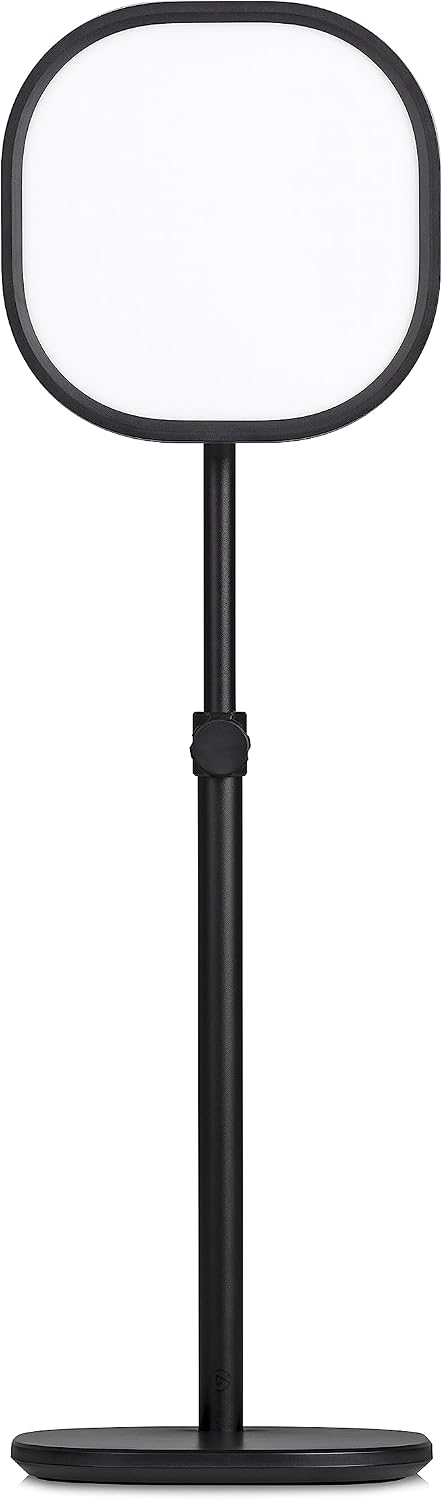
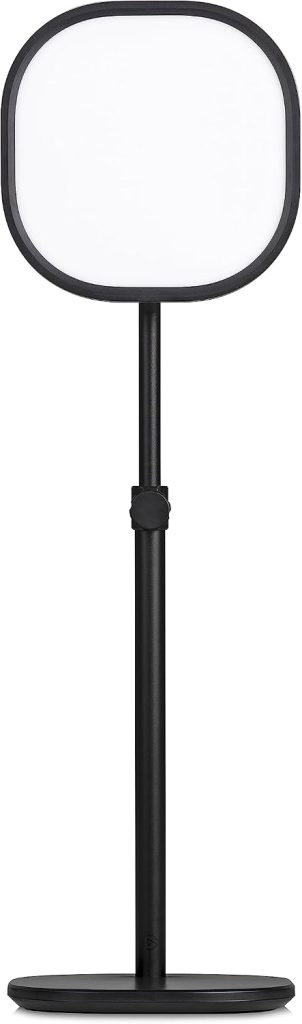
Elgato Key Light Air
Compact LED panel with adjustable color temperature and app control — made for tight desks.
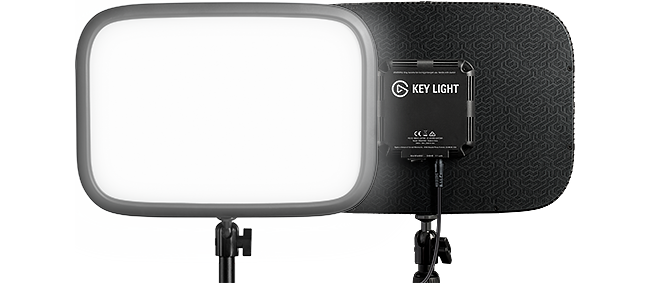
Elgato Key Light
Full-size flagship, roughly double the output — maximum output for bigger spaces and brighter rooms.
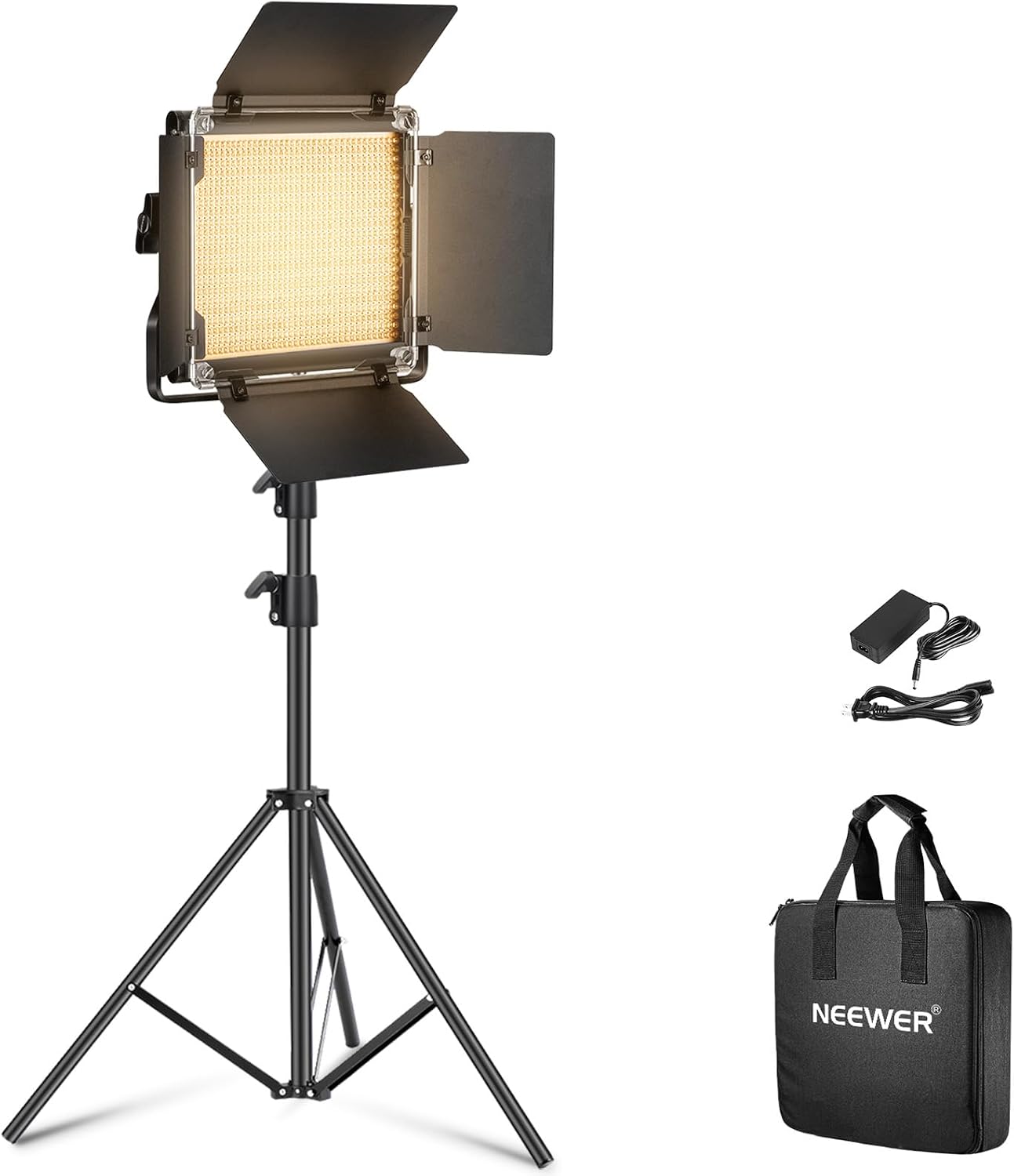
Neewer NL660
Bi-color panel plus stand kit — flexible positioning, budget-friendly bundle.
Prices and availability may vary — tap any product to check the current listing.
What to Look For When Choosing a Creator Light
Lighting gear has a way of looking interchangeable in product photos. Panels are panels. The differences that matter show up in your room, at your desk, on your face. Here’s what to actually evaluate.
1. Brightness: How Much Light Do You Really Need?
Here’s the uncomfortable truth about brightness specs: at typical webcam distance — two to four feet from your face — you need far less light than you think. The Key Light Air delivers roughly half the output of the full-size Key Light, and for a single person at a desk, that smaller output is usually more than enough. Most owners run it well below maximum.
Where the bigger panel earns its keep: lighting two people, throwing light across a larger room, or overpowering strong window light in a bright space. If none of those describe you, the Air’s output is the sensible middle ground — and its smaller size means it actually fits on your desk instead of looming over it. I’ve seen people buy the flagship, run it at 20%, and wonder why they paid double. Don’t be that person.
2. Color Temperature: Matching Your Room
The Key Light Air adjusts from warm candlelight tones to cool daylight, and this matters more than raw brightness. Mismatched color temperature is what makes home video look “off” — your face glows orange while the window behind you is blue, and your camera can’t fix both.
The practical move: match the panel to your room’s dominant light. Evening streams under warm bulbs? Dial the panel warm. Daytime recording near a window? Push it cooler. The adjustable range exists so your face and your background stop fighting each other. Lights without this adjustment force you to adapt your room to the light, which is backwards.
3. App and Software Control
The Key Light Air connects over Wi-Fi and adjusts from Elgato’s Control Center app on your phone or desktop — brightness, temperature, on/off, all without touching the panel. It also integrates with Elgato’s Stream Deck ecosystem if you go down that road.
Why this matters more than it sounds: you’ll adjust your light constantly. Different times of day, different moods, different content. A light you have to physically reach for gets set once and forgotten. A light on your phone gets tuned every session. The Wi-Fi setup takes a few minutes and occasionally annoys people on mesh networks — fair warning — but once it’s on, it’s invisible. That friction difference is the difference between good lighting and great lighting.
4. Size, Mounting, and Desk Footprint
The Air ships with a telescoping desk stand, and the whole package is built for small spaces: dorm desks, bedroom streaming corners, kitchen-table video calls. It clamps or stands in a corner and disappears. The full-size Key Light needs a sturdier mount and noticeably more room — fine for a dedicated studio, awkward everywhere else.
Trade-off to know: the smaller panel produces a slightly harder light than the big one, all else equal. Bigger panels wrap light more softly around a face. In practice, at close range with the diffuser, most viewers won’t notice. But if you’re picky about skin tones and softness, the flagship’s larger surface area is a genuine advantage, not just a spec.
5. Power and Heat
The Key Light Air runs on mains power with an included adapter — no batteries to charge, no USB power sag. It stays cool enough to sit close to your face for hours, which matters because LED panels that run hot become unusable at arm’s length. Long streaming sessions, long video-call days: heat is the hidden spec nobody lists and everybody feels.
One honest limitation: it needs an outlet. Battery-powered panels exist for creators who shoot on location, and this isn’t one of them. If your “studio” is wherever your laptop opens, a portable panel might suit you better. For a fixed desk setup, mains power is a feature, not a bug — one less thing to remember to charge.
6. Ecosystem and Long-Term Value
Elgato’s real moat isn’t the panel; it’s the software around it. Control Center, Stream Deck integration, firmware updates — the light gets smarter over time instead of just sitting there. Cheaper panels give you the hardware and wish you luck.
The counterpoint: you’re paying for that ecosystem in the price. If you will never own a Stream Deck and just want a bright panel on a stand, budget brands deliver comparable light output for less money. You’re not buying lumens here. You’re buying convenience and polish. Be honest with yourself about which one you value.
How to Match the Light to Your Situation
The home streamer. You stream games or chat from a bedroom corner, mostly in the evening. The Key Light Air is purpose-built for this: compact enough for a crowded desk, warm temperature range for night sessions, app control so you can kill it between streams without standing up. One panel, aimed at your face from slightly above, transforms a webcam feed.
The remote worker on video calls. You spend hours on camera and look washed out or shadowy. The Air’s adjustable temperature lets you match your office lighting, and its small footprint means it doesn’t dominate your desk. Your colleagues won’t know why you suddenly look professional. That’s the point.
The AI video creator. You film talking-head segments, product demos, or B-roll for AI-assisted content. Consistent, repeatable lighting matters more than maximum brightness — you want the same look every shoot. Save your temperature and brightness settings once, recall them every time. Consistency is a production value.
Streaming Light Tiers Compared
| Type / Tier | Best For | Price Tier | Key Feature | Watch-Out |
|---|---|---|---|---|
| Compact smart panel (e.g., Elgato Key Light Air) | Single creators at desks, small rooms, evening streams | Mid-range | App control with adjustable temperature in a small footprint | Roughly half the output of the flagship; strongest at close range |
| Full-size smart panel (e.g., Elgato Key Light) | Dedicated studios, two-person shots, bright rooms | Premium | Maximum output with the same smart controls | Overkill for most desks; needs more space and a sturdier mount |
| Bi-color panel kit (e.g., Neewer NL660) | Budget creators who want a stand and flexible positioning | Budget-friendly | Panel plus stand bundle, manual controls | No app control; you’re walking over to adjust it every time |
| Ring light | Beauty and close-up content, phone creators | Budget-friendly | Flattering circular catchlights, dead simple | Harsh falloff at distance; circular reflections can look amateurish on some content |
Compact smart panels hit the sweet spot for most home creators: enough light, small enough to live on a desk, smart enough to adjust from your chair.
Full-size panels are for people fighting real ambient light or lighting more than one person — genuine needs, but rarer than marketing suggests.
Bi-color panel kits trade smarts for value: fine light, manual everything, and a stand in the box. A solid choice if you hate apps.
Ring lights flatter faces at arm’s length but fall apart as a room light — great for TikTok-style close-ups, weak for everything else.
Three Lighting Scenarios, Honestly Assessed
Scenario 1: The Small Desk in a Dark Room
Evening streamer, one monitor, no window light to speak of. This is the Key Light Air’s home turf. One panel at 40–60% brightness, warm temperature, positioned just off-camera above your eyeline — and suddenly your webcam looks twice as expensive. The camera’s sensor gets clean light instead of straining in the dark, which kills the grain that makes budget webcams look budget. Total setup time: ten minutes. Total transformation: embarrassing how big.
Scenario 2: Daytime Recording Near a Window
You film during the day and your window is both a blessing and a curse — great light when the sun cooperates, chaos when it doesn’t. The Air’s adjustable temperature lets you blend with daylight instead of fighting it, and its output is enough to fill the shadows on the window-opposite side of your face. Honest caveat: in a very bright room with direct sun, no desk panel wins against the sun. Close the blinds, let the panel do the work, and take the consistency win.
Scenario 3: The AI Creator’s Repeatable Setup
You shoot talking-head segments weekly and need shot 47 to match shot 1. Dial in your brightness and temperature once, save the settings, and every recording starts from the same baseline. This is where app control quietly pays for itself — no guessing, no “did I have it warmer last time?” Just recall and record. The Air’s compact size also means it stays set up permanently, which is the real secret to consistency: gear you don’t have to rebuild.
Common Mistakes First-Time Light Buyers Make
Mistake 1: Buying brightness you don’t need. The flagship panel is impressive, and impressive sells. But at desk distance, most creators use a fraction of its output — the rest is money spent on headroom you’ll never touch. Match the light to your actual distance and room size. Bigger isn’t better; right-sized is better.
Also see: Logitech Brio 4K Webcam Review: The Best Camera for AI Video Creators?.
Mistake 2: Ignoring color temperature. People obsess over brightness and leave temperature on default, then wonder why their footage looks “off.” A dimmer light at the right temperature beats a brighter light at the wrong one. Spend five minutes matching your room. It matters more than any spec.
Mistake 3: Lighting from below or dead-on. Light from below is horror-movie lighting — it carves weird shadows into every face. Dead-on flat light erases all dimension. Slightly above eye level, slightly to one side: that’s the angle that flatters humans. The panel doesn’t care where you put it. Your face does.
Mistake 4: Forgetting the background. A perfectly lit face in front of a pitch-black void looks like a hostage video. Your key light handles your face; your room still needs some ambient light so the background has depth. A cheap lamp behind you, a monitor glow, anything. Light the person, then remember the room.
Why, How, and What — Quick Answers
Why does a dedicated panel beat a desk lamp for video?
Color accuracy and control. A desk lamp throws whatever temperature its bulb happens to be, usually too warm, often flickering imperceptibly on camera, and almost never dimmable in a useful way. A purpose-built panel gives you adjustable temperature, smooth dimming, and a diffused surface designed to flatter skin instead of spotlighting it. It’s the difference between “lit” and “lit well.” Your camera notices even when you don’t.
How should you position the Key Light Air for the first stream?
Start simple: place it just behind your monitor, slightly above your eye line, angled down at your face from about two to three feet away. Set temperature to roughly match your room, brightness around half, then look at your camera preview — not the panel. Adjust until your face is evenly lit with soft shadows under the chin. The whole ritual takes five minutes and you’ll repeat it maybe twice before it becomes muscle memory.
What does the Air give up compared to the full-size Key Light?
Output and surface area, mainly — roughly half the brightness and a smaller panel, which means slightly less soft light and less ability to overpower strong ambient light or cover two people. What it keeps: the same adjustable temperature range, the same app control, the same ecosystem integration. For a single creator at a desk, the trade is almost entirely in your favor. The flagship’s advantages only matter at bigger scales.
Questions People Ask Before Buying
Real questions, straight answers
Is the Key Light Air bright enough, or do I need the full-size Key Light?
For a single person at a desk two to four feet from the panel, the Air is bright enough — most owners run it well below maximum, since webcam-distance lighting needs far less output than spec sheets suggest, and its roughly half-flagship output still overwhelms typical evening room light. You need the full-size panel only if you’re lighting two people, covering a larger area, or fighting strong daylight in a bright room. For everyone else, the flagship’s extra output is headroom you’ll pay for and never use.
Key Light Air vs a cheap ring light — what’s the real difference?
The real difference is control and light quality — the Air gives you adjustable color temperature to match your room, smooth app-controlled dimming, and a diffused panel that flatters skin, while a basic ring light offers fixed output, no temperature control, and harsh falloff that looks fine at arm’s length but amateurish anywhere else. Ring lights win on price and simplicity for close-up phone content. For streams, video calls, and anything where your footage needs to look consistent, the panel is the more capable tool.
Do I need the app, or can I just use the buttons?
You can operate the basics without the app, but you’d be giving up the Air’s standout feature — the Control Center app handles brightness, temperature, and on/off from your phone or desktop, plus scene presets and Stream Deck integration, and a light you can adjust without standing up gets tuned every session instead of once. The Wi-Fi setup takes a few minutes and can be fiddly on some mesh networks, but once connected it fades into the background. If you hate apps on principle, a manual panel kit is the more honest buy.
Will the Key Light Air work for a dark room with no windows?
Yes — a dark room is actually the ideal scenario for the Air, because with no ambient light to fight, its output easily becomes the dominant light source, giving you full control over the look instead of competing with unpredictable daylight. Set a warm temperature for evening streams or a neutral tone for professional calls, keep some dim background light so the room doesn’t go pitch black behind you, and the panel does the rest. Dark rooms are where compact panels punch far above their size.
Is the Key Light Air worth it for someone who just does video calls?
It depends on how much you care about looking professional — if you’re on camera for hours daily, the Air’s adjustable temperature and soft panel light make you look noticeably better than a webcam straining under ceiling lights, and the small footprint means it lives on your desk without dominating it. For occasional calls, it’s overkill; a window and a cheap lamp will do. But if your face is your work interface, the daily quality-of-life improvement is real and immediate.
Frequently Asked Questions
Does the Key Light Air get hot during long streams?
No — it stays comfortably cool even after hours, which is one of the quiet advantages of a well-designed LED panel over cheap alternatives. You can sit close to it for a full streaming session without feeling heat on your face. Heat is the hidden spec in this category, and the Air handles it well.
Can I mount the Key Light Air on something other than the included stand?
Yes — it uses a standard mount thread, so it works with common desk clamps, light stands, and boom-style arms. The included telescoping stand is fine for getting started, but a desk clamp frees up surface space and is the most popular upgrade. If your desk is crowded, plan on a clamp from the start.
Does it work without Wi-Fi?
The panel itself produces light without any network connection, but app control and smart features need Wi-Fi. If your network is down, you lose remote adjustment until it reconnects — the light still works, you just adjust it manually. For most home setups this is a non-issue, but it’s worth knowing the smart features have a dependency.
Is one Key Light Air enough, or do I need two?
One is enough for the vast majority of solo creators — a single panel as your key light, plus whatever ambient light your room already has, covers streams, calls, and talking-head video. A second light becomes useful for dedicated fill or background separation, but it’s a polish upgrade, not a requirement. Start with one; add a second only when you can articulate what the first one isn’t doing.
Will it hurt my eyes sitting that close?
Positioned correctly — slightly above eye level and off to the side — you look at your camera, not into the panel, so eye strain isn’t the issue people fear. The diffused surface is far gentler than bare bulbs. If you find it distracting, lower the brightness a touch; at webcam distance you need less light than you think.
Can I use it for photography or just video?
It works fine for still photography too — continuous LED light is what it is, and cameras don’t care whether the subject moves. Product shots, portraits, and flat-lays all benefit from the adjustable temperature. It’s marketed at streamers, but light is light. Plenty of creators use it as their only photo light.
Final Recommendation
For streamers, remote workers, and AI video creators working from a normal desk, the Elgato Key Light Air is the right-sized light. It’s compact enough to actually live on your desk, bright enough for anyone filming alone, and smart enough that you’ll adjust it constantly instead of once. Check the current listing and picture it on your desk — if it fits your space, it fits your needs.
If you’re lighting a dedicated studio, two people, or a sun-drenched room, step up to the full-size Key Light — that’s what the extra output is for. And if you simply hate apps and smart features, a manual bi-color panel kit gives you honest light for less money. But for the solo creator at a desk, which is most of us, the Air is the sweet spot. Good lighting isn’t about the brightest panel. It’s about the panel you’ll actually use every day.
OUR TOP PICK
Elgato Key Light Air
Compact LED panel with adjustable color temperature and app control — made for tight desks.
Decision Tree: Which Light Fits You?
Solo creator at a desk, normal room → Key Light Air. Right-sized output, small footprint, app control.
Dedicated studio, two people, or bright sunlit room → Full-size Key Light. You need the extra output.
Tight budget, don’t mind manual controls → Neewer NL660 kit. Honest light, stand included, no apps.
Close-up phone content only → A ring light is cheaper and flattering at arm’s length.
Key Takeaways
Right-size your light. At webcam distance, the Air’s output is plenty — flagship brightness is for bigger jobs.
Temperature beats brightness. Matching your room’s color temperature matters more than raw output.
App control gets used; manual doesn’t. A light you adjust from your chair gets tuned every session.
Position above eye level, slightly to the side. The angle flatters every face; the panel doesn’t care, your face does.
Light the background too. A lit face in a black void looks wrong — keep some ambient light in the room.
Disclosure: This article contains affiliate links. If you buy through them, we may earn a commission at no extra cost to you.