
Disclosure: This article contains affiliate links. If you buy through them, we may earn a commission at no extra cost to you.
Shure MV7+ Microphone Review: The Best Mic for AI Podcasters and Creators?
If you record podcasts, voiceovers, or AI-narrated video from a spare bedroom instead of a studio, the microphone on your desk matters more than almost any other piece of gear. The Shure MV7+ is Shure’s latest answer to that reality: a dynamic microphone with both USB-C and XLR outputs, a touch-sensitive LED panel, and built-in digital processing that promises clean, room-friendly sound without an audio engineering degree. This guide walks through what the MV7+ actually offers, how it stacks up against the classic USB condensers it competes with, and whether it’s the right pick for your setup.
Related reading: Blue Yeti USB Microphone Review: Still the Best Mic for AI Content Creators?, Rode Wireless GO II Review: The Wireless Mic AI Content Creators Actually Need?.
Quick Answer
The Shure MV7+ is a dynamic mic built for creators recording in untreated rooms. Its tight pickup pattern rejects keyboard clatter and room echo far better than typical USB condensers, and the onboard DSP — auto level mode plus a real-time denoiser — smooths out the amateur mistakes most of us make. If you want broadcast-style tone without treating your walls, it’s the most forgiving upgrade in its class.
Compare Top Podcast Microphones
Three proven picks side by side — choose the one that fits your needs.
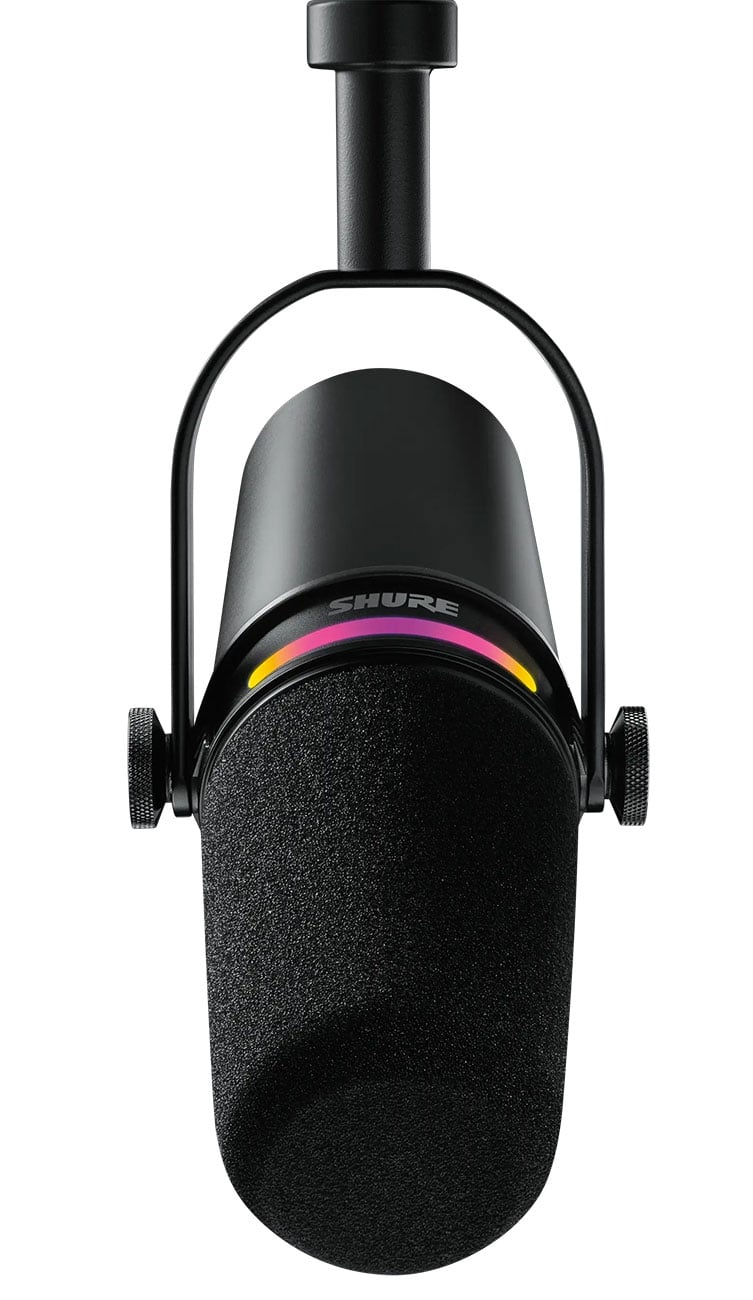
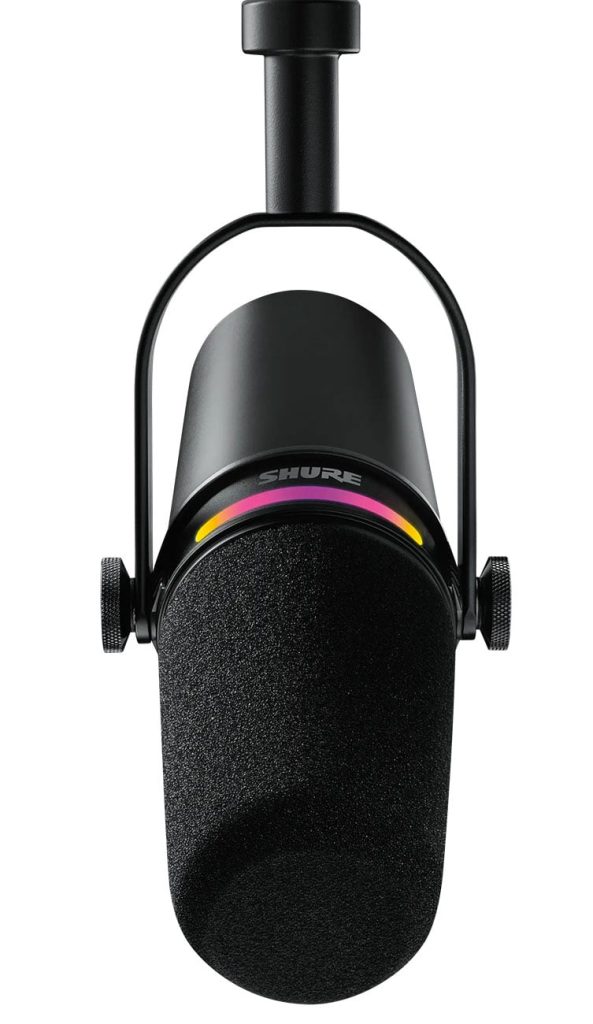
Shure MV7+
Dynamic mic with USB-C + XLR, onboard denoiser and auto level — built for untreated rooms.
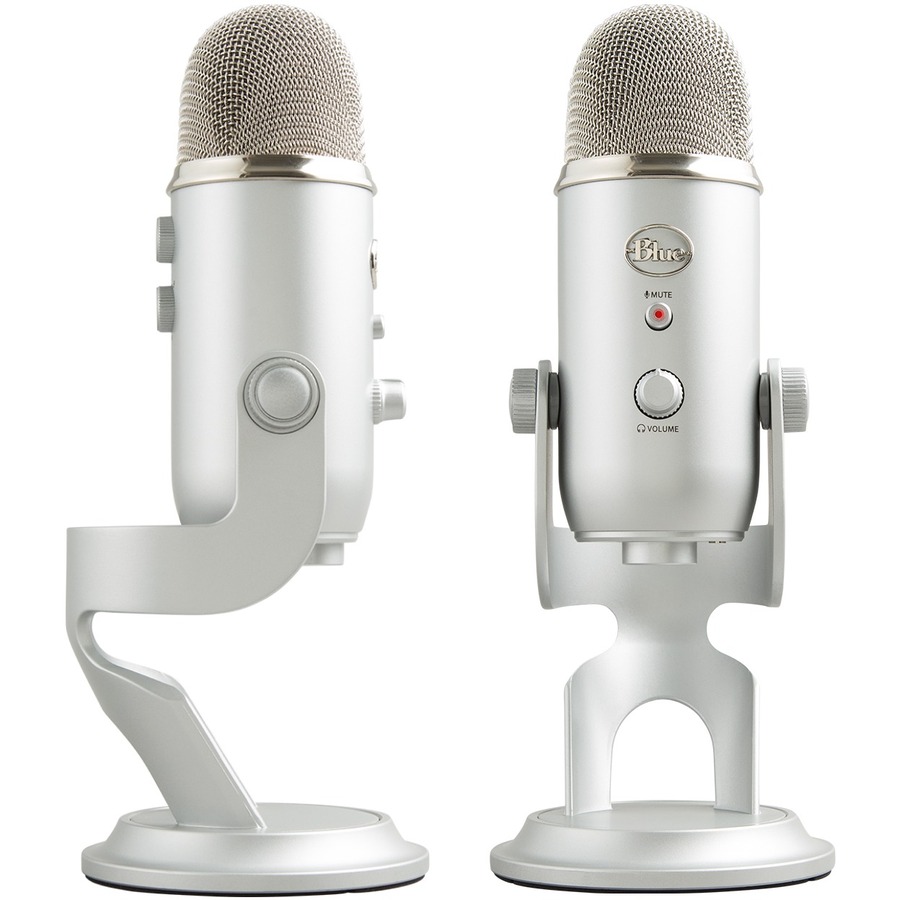
Blue Yeti
Classic USB condenser, plug-and-play — easy and affordable, but picks up more room sound.
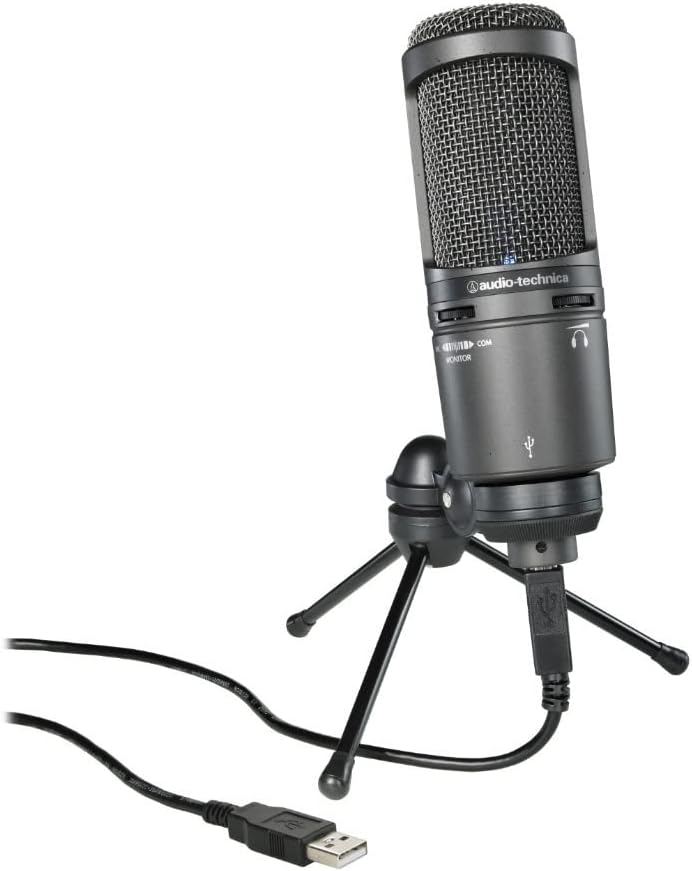
Audio-Technica AT2020USB+
Studio condenser sound — detailed and crisp, ideal once your room is under control.
Prices and availability may vary — tap any product to check the current listing.
What to Look For When Choosing a Creator Microphone
Buying a mic for AI-era content work is not the same as buying one for a recording studio. Your room is a bedroom. Your “co-host” might be an AI voice. Your audience listens on phone speakers. These are the factors that actually move the needle.
1. Dynamic vs. Condenser: the Room Noise Question
This is the decision that makes or breaks home recordings. Condenser mics — the classic Blue Yeti, the AT2020USB+ — are sensitive. That’s their selling point and their curse. They’ll capture the detail in your voice, plus the refrigerator hum, the neighbor’s dog, and the echo bouncing off your bare walls.
A dynamic mic like the Shure MV7+ works the opposite way. It wants you close — a few inches away — and politely ignores everything else. The trade-off? Dynamics need more gain, and they can sound a touch less airy on top. For untreated rooms, it’s a trade most creators should happily make. Your listeners will notice the silence between your words more than they’ll miss a sliver of treble detail.
2. Connectivity: USB-C, XLR, or Both
The MV7+ ships with both USB-C and XLR outputs, which sounds like a small thing and isn’t. USB means you can plug straight into a laptop and start recording in about sixty seconds — no interface, no extra boxes. XLR means the mic can grow with you: add an audio interface or a mixer later, and the same microphone suddenly sits in a much more serious signal chain.
Here’s the catch worth knowing. The onboard DSP features — the auto level mode and the denoiser — only work over USB. Switch to XLR and you’re getting the raw analog signal, which is exactly what you want if you own outboard gear, and exactly what you don’t want if you were counting on the mic to fix your audio for you. Pick your connection based on how much processing you want the mic itself to do.
3. Onboard DSP: Auto Level Mode and the Real-Time Denoiser
Shure markets two headline DSP features on the MV7+, and both deserve a hard look. Auto Level Mode adjusts your gain on the fly as your voice gets louder or softer — lean back in your chair, get excited about a topic, and the mic compensates instead of clipping. For AI-narrated video creators who record long voiceover sessions in one take, this is genuinely useful. Consistency is the whole game.
The real-time denoiser is the more interesting claim. It uses onboard processing to suppress steady background noise — fan hum, computer fans, that kind of thing. It won’t perform miracles on a barking dog or a slamming door (nothing does), but for the low, constant drone that ruins home recordings, it takes a real bite out. One limitation: heavy-handed noise reduction can make voices sound slightly thin or processed, so it’s worth experimenting with the strength settings rather than maxing everything out. A little goes a long way.
4. The LED Touch Panel: Gimmick or Genuinely Handy?
The multi-color LED touch panel on the MV7+ looks like a streamer toy. Mute by tapping the mic. The LED ring changes color to show your audio level — green when you’re in the zone, red when you’re clipping. And in a dim room, it just looks cool on camera.
But here’s the honest take: the tap-to-mute is the feature you’ll use daily, and the LED level display is the feature that quietly saves recordings. Most beginners clip their audio and never know it until editing. A color ring in your peripheral vision fixes that without software, without a mixer, without thinking. Small thing. Big difference.
5. Build and Desk Real Estate
The MV7+ is a hefty, all-metal microphone with real weight to it — it feels like equipment, not a toy. That matters because cheap-feeling gear gets replaced, and this is priced as something you keep. It comes with a basic desk stand, but almost everyone ends up mounting it on a boom arm, which is an extra purchase to factor in.
One more thing: because it’s a dynamic mic, you need to stay close to it. If your recording style involves leaning back, gesturing at a whiteboard, or sharing the mic with a guest across the table, a dynamic will punish you with volume drops. Dynamics reward discipline. Your mouth, the mic, six inches apart. Every time.
6. Software and Ecosystem
Shure’s companion app unlocks the DSP settings — EQ presets, compressor, limiter, denoiser strength. It’s straightforward, and you set it once and mostly forget it. The MV7+ is also OBS certified, which just means Shure and the OBS folks verified it plays nicely with the streaming software — no driver weirdness, no sample-rate fights. If you stream to Twitch or YouTube, that certification removes a category of headaches you’d otherwise debug at midnight before a broadcast.
I’ve seen people spend way too much on microphones and then record into a laptop fan pointed at the desk. The mic is step two. Step one is always: quiet the room, move the mic close, and only then spend money. The MV7+ rewards people who do the free stuff first.
How to Match the Mic to Your Situation
The bedroom podcaster. You record a solo or two-person show from home, your room has hard floors and bare walls, and editing time is limited. The MV7+ is basically built for you: the tight dynamic pickup and denoiser do the heavy lifting your room can’t. Plug in over USB, turn on auto level, and stop thinking about audio.
The AI video creator. You script with AI tools, narrate faceless videos, and need hours of consistent voiceover audio. Auto Level Mode is your friend here — it evens out the long sessions where your energy drifts. Record closer than feels natural. Your future self, scrubbing through three hours of narration, will thank you.
The live streamer. You stream games or commentary with keyboard clatter, game audio, and maybe a fan running. The dynamic capsule’s rejection of off-axis sound keeps your voice forward and the chaos behind. The tap-to-mute on the LED panel is genuinely clutch mid-stream — cough button without a keyboard shortcut.
Podcast Mic Tiers Compared
| Type / Tier | Best For | Price Tier | Key Feature | Watch-Out |
|---|---|---|---|---|
| Dynamic USB/XLR hybrid (e.g., Shure MV7+) | Untreated home rooms, streamers, AI voiceover creators | Mid-range to premium | Dual outputs plus onboard denoising and auto level | DSP features are USB-only; you must stay close to the mic |
| USB condenser (e.g., Blue Yeti) | Beginners who want plug-and-play simplicity | Budget-friendly | Multiple pickup patterns, dead simple setup | Picks up everything in the room — echo, fans, keyboards |
| Studio USB condenser (e.g., AT2020USB+) | Creators with reasonably quiet, treated spaces | Mid-range | Detailed, crisp condenser sound | Unforgiving of bad rooms; benefits from acoustic treatment |
| XLR-only studio dynamic (e.g., broadcast-style mics) | Creators who already own an interface or mixer | Premium | Top-tier analog sound, pro signal chains | Requires an interface with enough clean gain — a real extra cost |
The hybrid tier exists for one reason: most creators aren’t ready to commit to a full XLR chain, but don’t want to outgrow their mic in a year. That’s the lane the MV7+ occupies.
USB condensers win on simplicity and lose on room noise — the classic beginner trap is buying the mic and blaming it for the room.
Studio condensers are wonderful mics that punish untreated rooms; buy one after you’ve hung something soft on the walls, not before.
XLR-only dynamics sound fantastic but the interface, cables, and stand add up fast — budget the chain, not just the mic.
Three Recording Scenarios, Honestly Assessed
Scenario 1: The Untreated Bedroom
Hardwood floors, a window, a humming PC. This is where most creators actually record, and it’s where the MV7+ earns its keep. The dynamic capsule plus denoiser strips out the steady-state noise that makes bedroom recordings sound amateur. A USB condenser in the same room captures the same noise beautifully — which is the problem. If this is your room, prioritize rejection over sensitivity. Every time.
Scenario 2: Long AI-Narrated Video Sessions
You record 40 minutes of narration for a faceless video, and your energy — and your distance from the mic — drifts. Auto Level Mode exists for exactly this. It won’t fix you wandering a foot away from the mic, but it smooths the natural loud-quiet-loud arc of a long read. One honest caveat: heavy auto-leveling on a very dynamic performance can sound slightly squashed, so check a test recording before committing to a three-hour session.
Scenario 3: Streaming With a Loud Setup
Mechanical keyboard, game audio through speakers, maybe a console fan. A condenser hears all of it; a dynamic mostly hears you. The MV7+ shines here, and the OBS certification means one less thing to troubleshoot. Just remember the proximity rule — mount it on a boom arm close to your mouth, not sitting on the desk a foot away. Distance is the enemy of every dynamic mic ever made.
Common Mistakes First-Time Mic Buyers Make
Mistake 1: Buying a condenser for a noisy room. This is the number one regret in creator audio. A sensitive mic in an untreated room doesn’t give you “studio sound” — it gives you a high-fidelity recording of your room’s problems. Match the mic to the room you have, not the room you wish you had.
Also see: Logitech Brio 4K Webcam Review: The Best Camera for AI Video Creators?.
Mistake 2: Recording too far from a dynamic mic. Dynamics need proximity. Six inches, give or take. People unbox a dynamic, set it on the included desk stand a foot away, and wonder why it sounds thin and quiet. It’s not the mic. It’s physics.
Mistake 3: Skipping the boom arm. The little desk stand in the box gets the mic into frame but keeps it far from your mouth and transmits every desk thump straight into the recording. A boom arm is the single highest-value accessory in this category. Budget for it from day one.
Mistake 4: Maxing out noise reduction. Denoisers are seasoning, not the meal. Crank it and voices go thin, watery, weird around the edges. Start low, raise it until the background hum disappears, then stop. Your voice should sound like you, not like a phone call from 2009.
Why, How, and What — Quick Answers
Why does a dynamic mic work better in untreated rooms?
It comes down to sensitivity and pickup pattern. A dynamic capsule is simply less responsive to distant, quiet sounds than a condenser — physics does the noise rejection before any software gets involved. The tight cardioid pattern focuses on what’s directly in front and fades everything else. In a room full of reflections, that selectivity is worth more than any spec on a datasheet. It’s not magic. It’s just the right tool for a bad room.
How should you set up the MV7+ for the first recording?
Start with USB — it’s the fastest path to good audio. Install the companion app, pick a voice preset close to yours, enable auto level and a light touch of denoiser. Position the mic about a fist’s width from your mouth, slightly off to the side so plosives miss the capsule. Record 30 seconds of normal speech, listen back on headphones, and adjust. The whole process takes ten minutes, and it beats any amount of post-production fixing.
What does the MV7+ actually improve over a basic USB mic?
Three things, honestly. Rejection — your room disappears from the recording instead of starring in it. Consistency — auto level and the limiter keep your volume even across long sessions. And upgrade path — the XLR output means the mic survives your eventual move to an interface. What it doesn’t do is make a bad room good or a bad performance compelling. No mic does that. Manage expectations and you’ll love it.
Questions People Ask Before Buying
Real questions, straight answers
Is the Shure MV7+ actually worth the extra money over a Blue Yeti?
Yes, if your room is untreated — which describes most home creators — because the MV7+ is a dynamic mic that rejects room echo, keyboard noise, and fan hum far more effectively than the Yeti’s sensitive condenser capsule, while adding USB/XLR dual output, auto level control, and a real-time denoiser the Yeti simply doesn’t have. If you record in a quiet, treated space and just need plug-and-play simplicity, the Yeti remains the sensible budget choice and the price gap buys you little. The deciding factor is your room, not your ambition: noisy room, get the dynamic; quiet room, save the money.
Does a dynamic mic really block room noise better than a condenser?
Yes, and the reason is physics rather than marketing — dynamic capsules are inherently less sensitive to quiet, distant sounds, and their tight cardioid pattern concentrates on your voice while fading reflections, keyboard clatter, and ambient hum that a condenser captures in detail. No mic eliminates noise entirely, and a dynamic still needs you close to it, but the difference in an untreated bedroom is immediately audible to anyone listening. If room noise is your main complaint, switching mic types helps more than any software fix.
Should I use USB or XLR on the MV7+?
Use USB if you want the mic’s built-in processing — auto level mode, the real-time denoiser, EQ presets, and the LED level display all run over the USB connection, making it the right choice for creators without an audio interface. Use XLR if you already own an interface or mixer and prefer to handle processing yourself, since XLR delivers the clean analog signal and bypasses the onboard DSP. Most home creators should start on USB and only move to XLR when their setup outgrows it.
Can the MV7+ replace a condenser for AI-narrated YouTube videos?
For most AI-narrated and faceless video workflows, yes — the MV7+ delivers the warm, forward vocal tone these videos need, and its auto level mode keeps long narration sessions consistent even as your energy and mic distance drift, which matters more than the extra high-frequency detail a condenser would capture. Condensers still win for music vocals or whisper-quiet ASMR-style content where maximum sensitivity matters. For spoken-word narration recorded at home, the dynamic is the more forgiving and practical tool.
Is the Shure MV7+ overkill for a complete beginner?
Not really, because the features that justify its price — auto level, the denoiser, tap-to-mute, the LED level meter — are beginner-friendly guardrails that prevent the exact mistakes new creators make, like clipped audio and inconsistent volume. A simpler USB mic is cheaper and easier to unbox, but it also teaches you nothing and leaves every problem for you to fix in editing. If you plan to create regularly for more than a few months, starting with the MV7+ saves you the cost and hassle of upgrading later.
Frequently Asked Questions
Do I need a shock mount or pop filter with the MV7+?
Not strictly. The MV7+ has internal shock mounting that handles normal desk vibrations reasonably well, and the built-in foam does a decent job with plosives. If you mount it on a boom arm and speak close — which you should — an extra pop filter is cheap insurance for heavy “p” and “b” sounds, but most creators get by without one. Try it bare first; add accessories only if you hear a problem.
Can I use the MV7+ with my phone or tablet?
Yes, over USB-C with the right adapter, and many creators record mobile voiceovers this way. The mic draws power from the device, so battery drain is something to watch on long sessions. For serious work, a laptop or desktop remains the more reliable host — but for quick narration on the go, it works fine.
Is the LED touch panel actually useful or just for looks?
Both, honestly. It looks great on camera in a dim streaming setup. But the practical wins are real: tap-to-mute without touching your computer, and a color-coded level ring that shows at a glance whether you’re too hot. The mute tap is the kind of small feature you end up using fifty times a week.
Does the MV7+ come with an XLR cable?
No — it ships with USB-C cables, and XLR cables are sold separately. This trips people up because the mic advertises dual output. If you plan to run XLR from day one, add a cable and an interface to your budget. If you’re starting on USB (most people), you need nothing extra to begin.
Do I need a boom arm, or is the included stand enough?
The included mini tripod stand works for getting started, but a boom arm is the upgrade that matters most. Dynamic mics need to be close to your mouth, and a boom arm puts the mic there while keeping your desk clear and isolating thumps. It’s the one accessory nearly every creator buys eventually — buying it upfront just skips the awkward middle phase.
What does OBS certified actually mean?
It means Shure worked with the OBS team to verify the MV7+ behaves correctly in OBS Studio — correct sample rates, no driver conflicts, stable USB audio during long streams. It’s not a sound-quality claim. It’s a compatibility promise, and for streamers, compatibility headaches are the ones that strike at the worst possible moment.
Final Recommendation
If you create podcasts, voiceovers, or streams from an untreated home room, the Shure MV7+ is the most sensible upgrade in its tier. The dynamic capsule forgives your room, the DSP forgives your technique, and the XLR output forgives your future ambitions. Check the current listing and compare it against your actual recording space — that’s the only spec that matters.
If your room is already quiet and treated, a good USB condenser will serve you well for less. And if you already own an interface, a dedicated XLR dynamic might give you more mic for the money. But for everyone else — the bedroom creators, the AI narrators, the streamers with loud keyboards — the MV7+ hits the sweet spot between forgiveness and quality. Few mics make bad rooms sound this acceptable.
OUR TOP PICK
Shure MV7+
Dynamic mic with USB-C + XLR, onboard denoiser and auto level — built for untreated rooms.
Decision Tree: Which Mic Fits You?
Your room is noisy or untreated → Shure MV7+. The dynamic capsule and denoiser do what acoustic panels would, without the panels.
Your room is quiet and you want the simplest setup → Blue Yeti. Plug in, pick a pattern, record.
Your room is reasonably controlled and you want detail → Audio-Technica AT2020USB+. Crisp condenser sound, fewer compromises.
You already own an audio interface → Consider a dedicated XLR dynamic — but the MV7+ on XLR works here too.
Key Takeaways
Dynamic beats condenser in untreated rooms. Sensitivity is a liability when your room is the problem.
The MV7+ is two mics in one. USB with onboard processing for simplicity; XLR for a future pro chain.
Stay close. Six inches from your mouth — dynamics punish distance, reward proximity.
Denoise lightly. A little processing cleans the hum; too much cleans the life out of your voice.
Budget the boom arm. The mic’s included stand is a starter; the arm is the real setup.
Disclosure: This article contains affiliate links. If you buy through them, we may earn a commission at no extra cost to you.